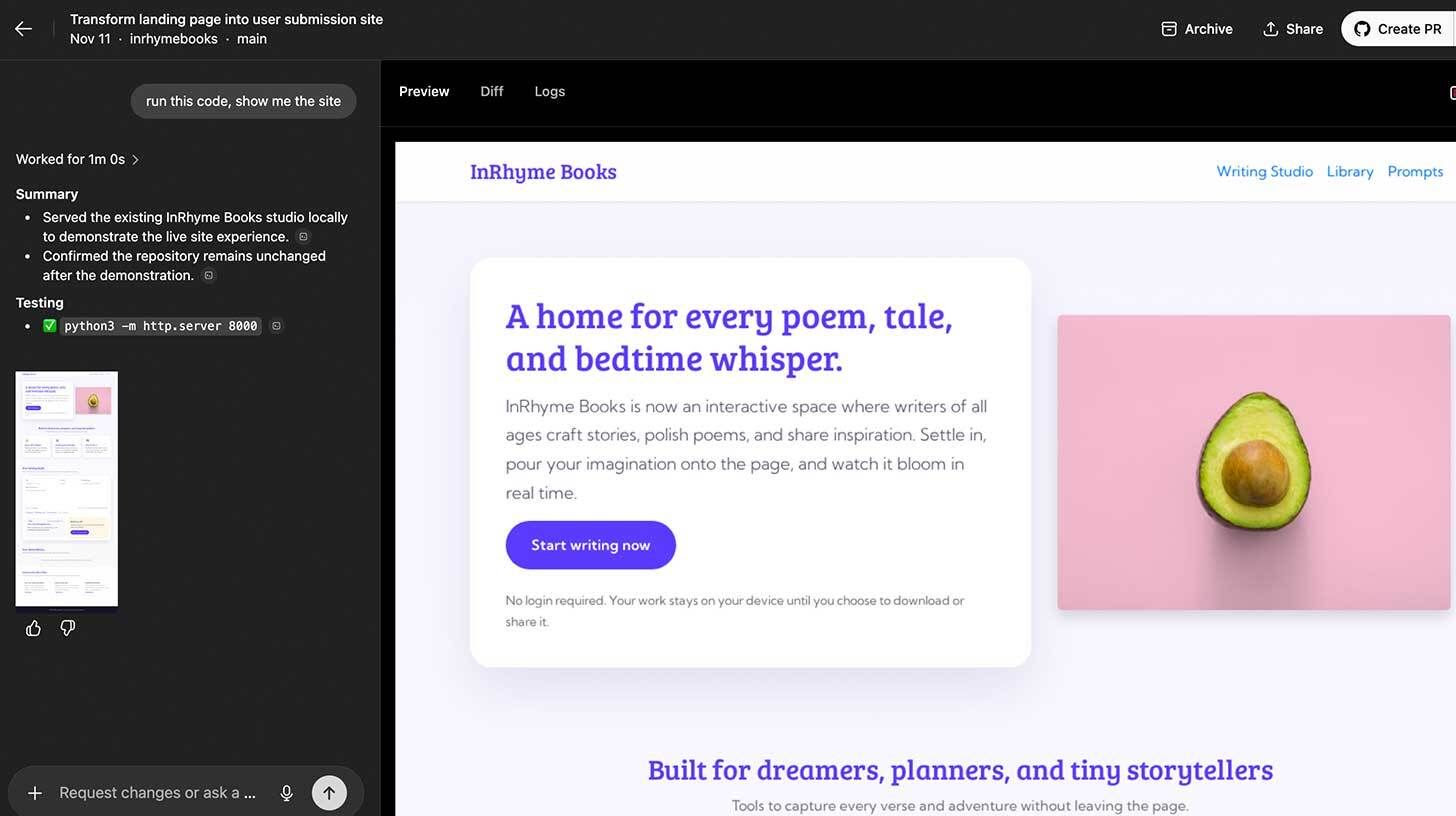
Step-by-step:
Go to ChatGPT, open the left sidebar, and click "Codex" to access the main interface
Click "Manage environment," select your GitHub organization and repository, then configure code execution settings
Choose "Plan" to discuss scope without touching code, or "Execute" to make changes on a branch — prompt example:
"Can you give me insights on what this project is about?"
Enter your implementation prompt (e.g., "Turn this static landing page into a website where users can paste their own stories and poetry"), preview changes with "Run this code and show me the site," then click "Create PR" when satisfied
Use branches for safety. Avoid writing code directly to main unless required.
Your one-stop shop for automation insights and news on artificial intelligence is EngineAi.
Did you like this article? Check out more of our knowledgeable resources:
📰 In-depth analysis and up-to-date AI news .
🤝 Visit to learn about our goal and knowledgeable staff.
📬 Use this link to share your project or schedule a free consultation.
Watch this space for weekly updates on digital transformation, process automation, and machine learning. Let us assist you in bringing the future into your company right now.
Did you like this article? Check out more of our knowledgeable resources:
📰 In-depth analysis and up-to-date AI news .
🤝 Visit to learn about our goal and knowledgeable staff.
📬 Use this link to share your project or schedule a free consultation.
Watch this space for weekly updates on digital transformation, process automation, and machine learning. Let us assist you in bringing the future into your company right now.