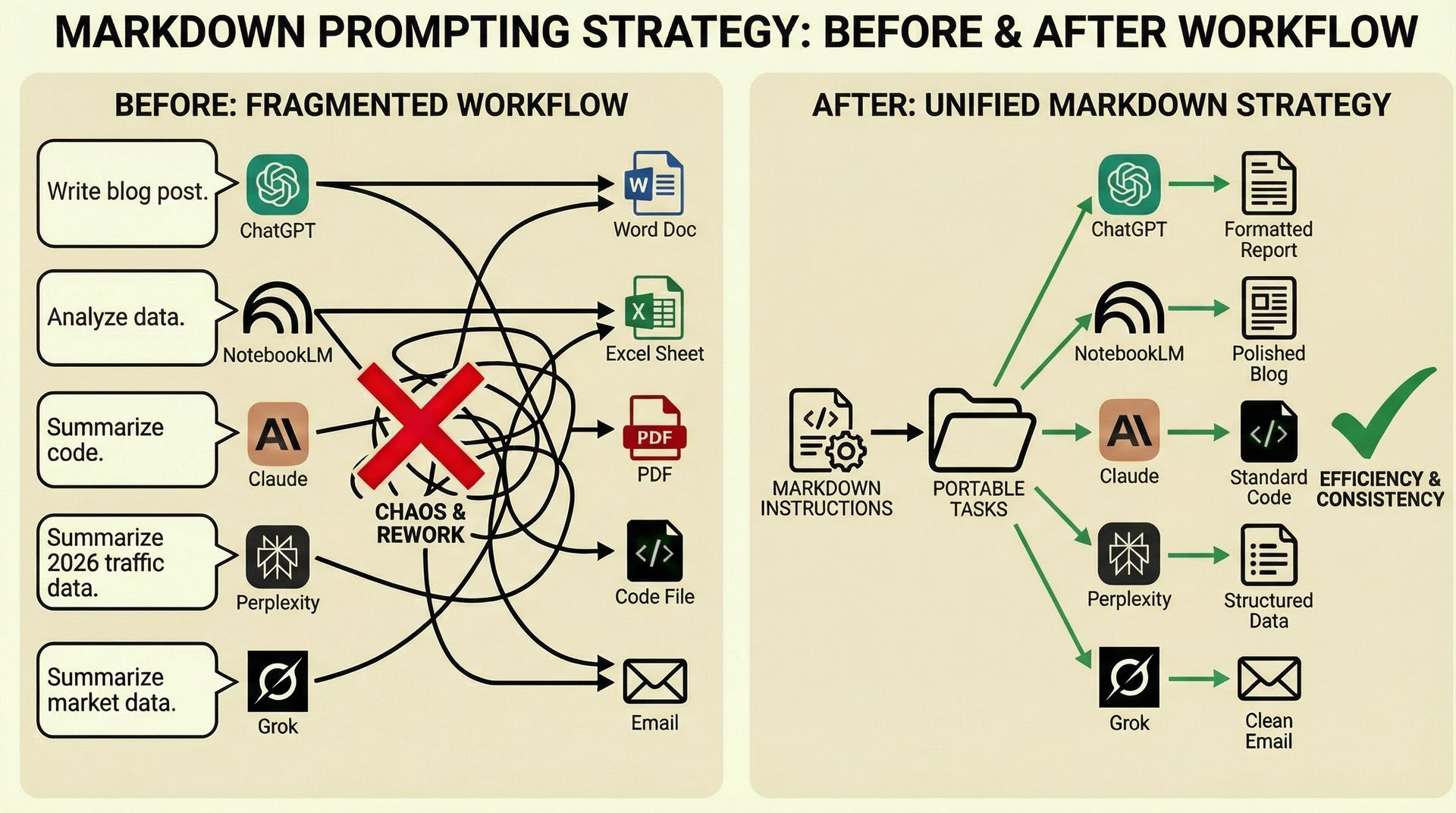
Step-by-step:
In NotebookLM, create a Notebook and finish your assignment (such as uploading an email to make variants), including the word count, tone, rules, target, and brand data.
Prompt: "Take the task and turn the context into Markdown-formatted AI instructions. The objective is to enter them into any AI with many variables and obtain polished results with a single command.
You can now transform hours of prompting into a flexible project template by creating a new project in NotebookLM and pasting the markdown instructions as text.
To get the same results as your first conversation, start a new one using personalized input variables.
Prompt: "Take the task and turn the context into Markdown-formatted AI instructions. The objective is to enter them into any AI with many variables and obtain polished results with a single command.
You can now transform hours of prompting into a flexible project template by creating a new project in NotebookLM and pasting the markdown instructions as text.
To get the same results as your first conversation, start a new one using personalized input variables.
Once markdown instructions have been created, save them in a database such as Notion.
Your one-stop shop for automation insights and news on artificial intelligence is EngineAi.
Did you like this article? Check out more of our knowledgeable resources:
📰 In-depth analysis and up-to-date AI news .
🤝 Visit to learn about our goal and knowledgeable staff.
📬 Use this link to share your project or schedule a free consultation.
Watch this space for weekly updates on digital transformation, process automation, and machine learning. Let us assist you in bringing the future into your company right now.
Did you like this article? Check out more of our knowledgeable resources:
📰 In-depth analysis and up-to-date AI news .
🤝 Visit to learn about our goal and knowledgeable staff.
📬 Use this link to share your project or schedule a free consultation.
Watch this space for weekly updates on digital transformation, process automation, and machine learning. Let us assist you in bringing the future into your company right now.