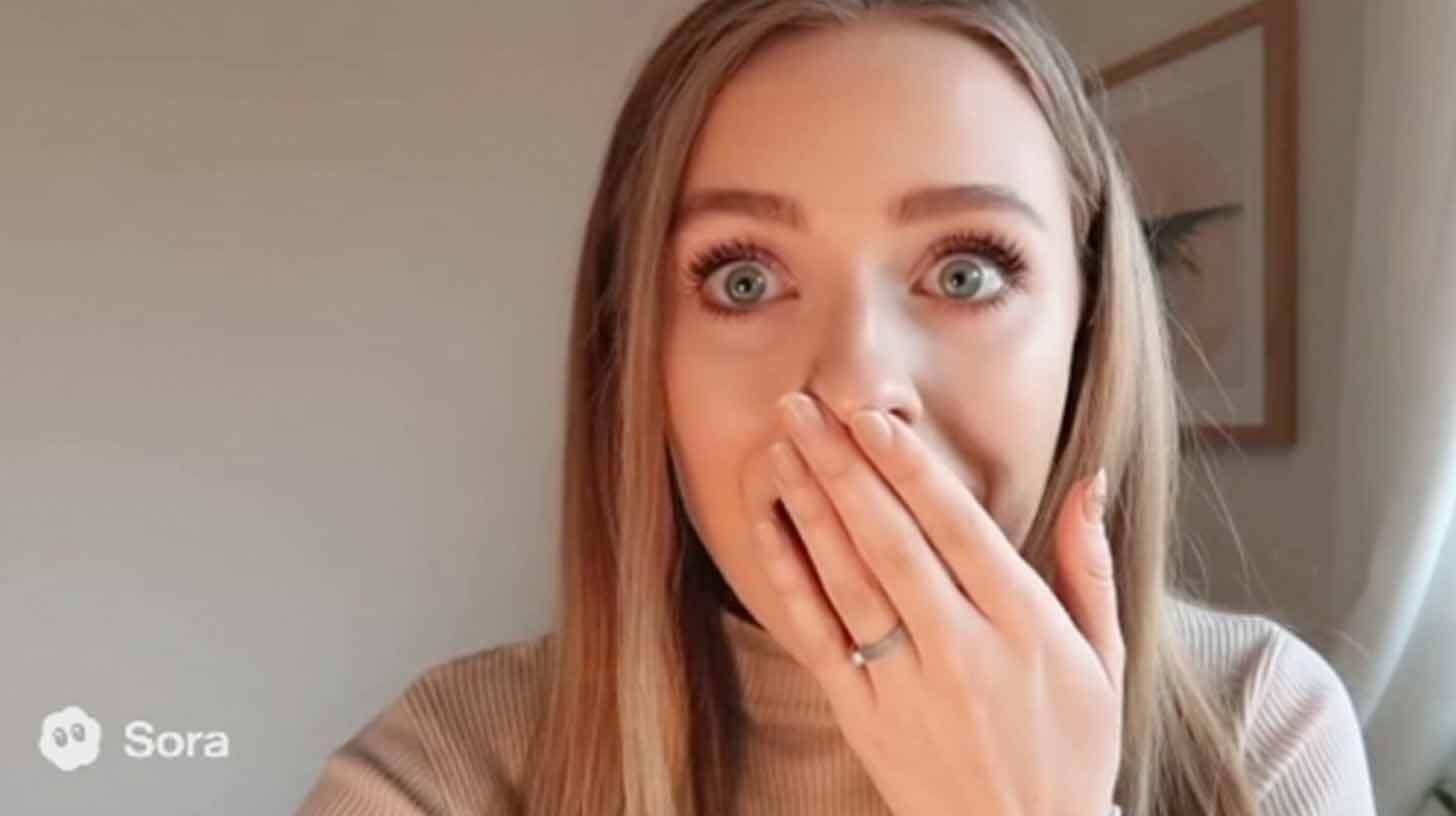
Use Sora 2 to produce marketing videos in the UGC style.
In detail:
Click "Create your video" in the chat box on the Sora website or mobile app (note: requires an invite code while in beta).
Type in a specific prompt, such as "selfie mode." A young, blond woman uses her phone to record a video of herself, her mouth and eyes wide with shock.
As though gasping, she gently lifts her hand to cover her mouth. Natural lighting and a genuine TikTok atmosphere.
"Meta Raybans," she exclaims.
"Man is playing a video game [cut] close up shot of a man's face" is an example of a prompt that incorporates camera angle changes using [cut] to produce wide shot → close-up sequences without the need for manual editing.
After you're satisfied, download your video. Don't ask for videos of actual people by name, and keep in mind that you can't post pictures of persons in them.
When prompting, be as specific as you can, considering the 5–10 second generation window and using a variety of perspectives, photos, settings, and lighting.
Your one-stop shop for automation insights and news on artificial intelligence is EngineAi.
Did you like this article? Check out more of our knowledgeable resources:
Watch this space for weekly updates on digital transformation, process automation, and machine learning. Let us assist you in bringing the future into your company right now