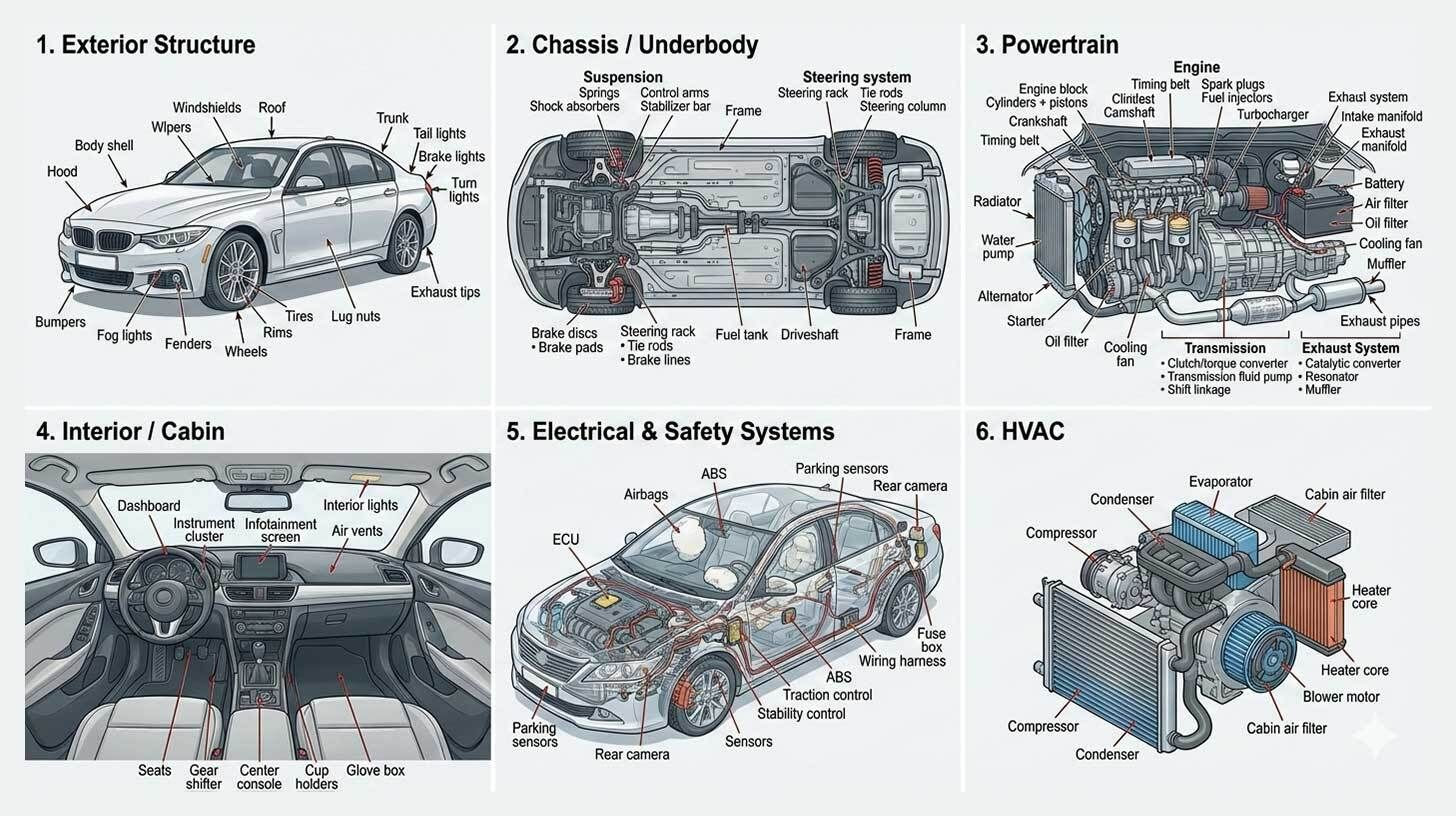
Step-by-step:
Open the chat window in the Gemini app (web or mobile), choose Tools → Create images → Thinking, and make sure "Thinking with 3 Pro" is chosen.
Select your use case, such as business infographics ("Create a visual canvas explaining Alex Hormozi's strategy for leads, offers, and sales"), manga-style storyboards ("Create a manga-style storyboard for Little Red Riding Hood"), or visual anatomy diagrams ("Create a detailed visual anatomy of a car with clearly labeled parts").
To get the greatest results, first request a systematic parts list or storyboard outline from any LLM, then transfer those information into Nano Banana Pro along with precise directions.
In just a few minutes, you can transform frameworks into visual one-pagers, email lead magnets, or client handouts by reviewing your work, downloading it, and sharing it.
Give directions that are too detailed. Provide enough context for the AI to produce.
Your one-stop shop for automation insights and news on artificial intelligence is EngineAi.
Did you like this article? Check out more of our knowledgeable resources:
📰 In-depth analysis and up-to-date AI news .
🤝 Visit to learn about our goal and knowledgeable staff.
📬 Use this link to share your project or schedule a free consultation.
Watch this space for weekly updates on digital transformation, process automation, and machine learning. Let us assist you in bringing the future into your company right now.
Did you like this article? Check out more of our knowledgeable resources:
📰 In-depth analysis and up-to-date AI news .
🤝 Visit to learn about our goal and knowledgeable staff.
📬 Use this link to share your project or schedule a free consultation.
Watch this space for weekly updates on digital transformation, process automation, and machine learning. Let us assist you in bringing the future into your company right now.