Create a 30-day plan using Manus 1.5 to accomplish any objective
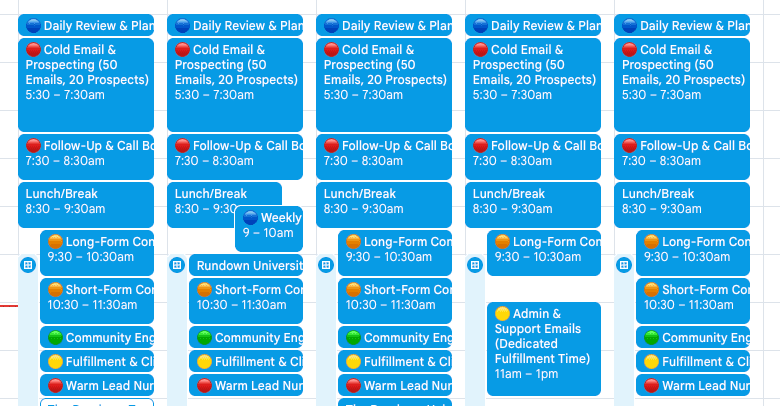
This video will show you how to use Manus 1.5 to reverse-engineer any goal into a 30-day execution plan with daily inputs, which you can then import as a color-coded schedule straight into Google Calendar.
Step-by-step:
To activate autonomous file outputs and planning capabilities, navigate to manus.im and choose "Agent" mode instead of ordinary chat.
Create a thorough prompt that reads, "Reverse-engineer [$X goal] into a 30-day execution plan with time-blocked daily inputs." Priority-based color-coding Outreach, content, fulfillment, community, and planning. Create an ICS file that is ready for the calendar in the EST time zone.
Send in your files, and Manus will create them: ICS calendar file, daily checklist, 30-day markdown plan, and summary with weekly anchors and power hours
After downloading the ICS file, launch Google Calendar, click "+" under "Other calendars," choose "Import," pick your ICS file, and select the destination calendar.
Examine your imported calendar with time-blocked, color-coded daily inputs that are prepared for execution.
Adjust prompt inputs (e.g., increase follow-ups, decrease content time) and create a new.ics if daily quotas don't feel right. Results are driven by inputs.