From Prompt to Product: How to Build an AI-Powered Productivity App with Lovable—No Code Required
For years, building a functional web application required a constellation of skills: frontend design, backend logic, database management, and API integration. For non-technical founders, solopreneurs, or product managers with great ideas but limited coding experience, this barrier meant relying on developers, outsourcing, or settling for off-the-shelf tools that never quite fit. Now, a new generation of no-code platforms is collapsing that complexity into a single interface: natural language.
Enter Lovable, a platform that manages UI, backend, database, and AI integration through straightforward prompts. This isn't just a tutorial; it is a blueprint for turning your next productivity idea into a live, shareable app—in minutes, not months.
Step 1: Register and Prepare Your Workspace
Start by visiting lovable.dev and creating a free account. New users receive 5 free credits per day—enough to prototype, iterate, and publish a simple app without financial commitment. Before you begin building, take a moment to clarify your vision. This is where the pro tip comes in: use Claude or ChatGPT to draft a product specification.
Prompt example for spec drafting:
"I want to build a task tracking app called TaskPrioritizer. Help me create a requirements document that includes: user stories, core features (task creation, display, prioritization), AI integration points, authentication needs, and success metrics."
This upfront planning pays dividends. It helps you anticipate edge cases, prioritize features, and craft more precise prompts for Lovable. Think of it as architectural sketching before construction—you wouldn't build a house without a blueprint; don't build an app without a spec.
Step 2: Build the Core App with a Single Prompt
With your spec in hand, return to Lovable and start a new project. In the prompt interface, enter a clear, structured instruction:
"Build a task tracking app called TaskPrioritizer with a form for task name and description, display tasks as cards with checkboxes, and store in a database."
Lovable's AI interprets this request and generates:
- responsive frontend with a clean, modern UI
- form component for task input (name + description fields)
- card-based layout for displaying tasks, each with a checkbox for completion
- backend database schema to persist tasks
Basic CRUD (Create, Read, Update, Delete) functionality
Within seconds, you have a working prototype. Test it by adding a few sample tasks. Check that they appear as cards, that checkboxes toggle completion status, and that data persists after refresh. This is your foundation—the minimum viable product upon which you will layer intelligence and personalization.
Step 3: Add AI-Powered Prioritization with Gemini
Now, elevate your app from functional to intelligent. Add a second prompt to integrate AI:
"Add AI using Gemini to automatically prioritize tasks as low/medium/high based on urgency keywords like 'ASAP' or 'today', show colored badges, and include a sort button."
Lovable handles the integration seamlessly:
It connects to Google's Gemini API (you may need to provide an API key in settings)
It adds logic to scan task descriptions for urgency cues: "ASAP," "today," "urgent," "deadline," etc.
It assigns priority levels and displays them as colored badges (e.g., red for high, yellow for medium, green for low)
It adds a sort button that lets users reorder tasks by priority, due date, or creation time
Test this feature by creating tasks with varying language: "Prepare quarterly report ASAP" should trigger a high-priority badge; "Brainstorm ideas for next month" should be low. The sort button should reorder cards instantly. This is AI not as a gimmick, but as a utility—automating a cognitive task (prioritization) that users would otherwise do manually.
Step 4: Enable Authentication for Private, Personalized Experiences
A productivity app is only useful if it respects user privacy. Add a third prompt to enable authentication:
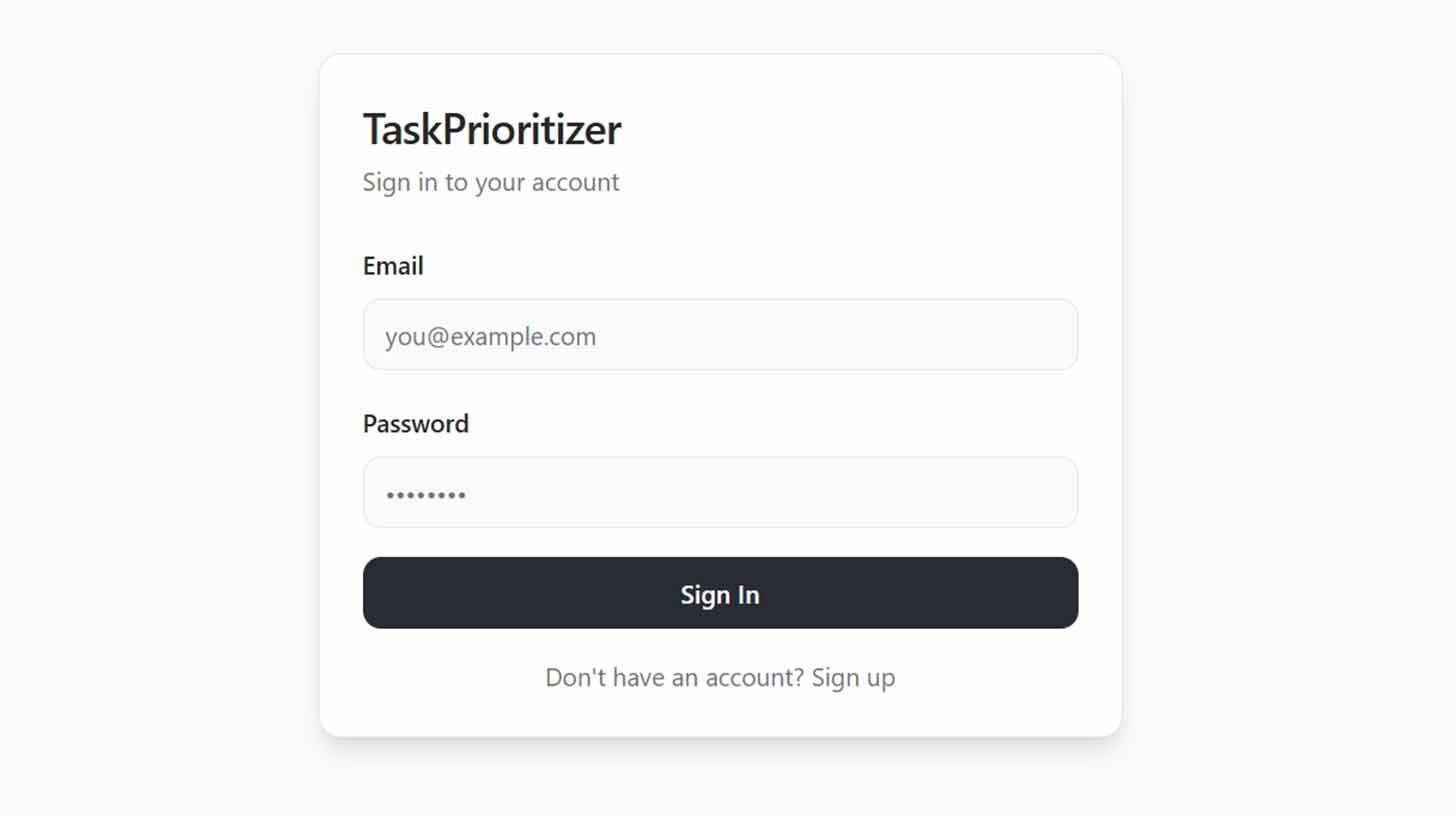
"Add user accounts with signup/login so people can save their own tasks privately. Only each user's tasks are visible."
Lovable implements:
A secure authentication flow (email/password or social login)
User-specific database partitions so tasks are isolated per account
Session management to maintain login state
UI updates to show login/signup buttons and user profile options
Test the flow: create two test accounts, add tasks to each, and verify that User A cannot see User B's tasks. This is critical for trust—users must feel confident that their data is theirs alone. For a productivity tool, privacy isn't a feature; it is a prerequisite.
Step 5: Test, Iterate, and Publish
Before going live, stress-test your app:
Create tasks with edge-case descriptions (emoji, very long text, special characters)
Test the AI prioritization with ambiguous language ("maybe soon")
Verify that authentication persists across browser sessions
Check mobile responsiveness by resizing your browser
Use Lovable's iterative editing to refine: "Make the priority badges more prominent," "Add a delete button to task cards," or "Show a count of high-priority tasks at the top." Each adjustment is a prompt away.
When you are satisfied, click "Publish" in the upper right corner. Lovable generates a live URL you can share with users, embed in a website, or submit to app directories. Your no-code app is now in the world.
Why This Workflow Matters
This tutorial demonstrates more than how to use a tool; it illustrates a new paradigm for software creation:
Democratization: You do not need to know React, Node, or SQL to build a full-stack app. You need clarity of thought and the ability to articulate requirements.
Speed: What once took weeks of development now takes hours. This acceleration enables rapid prototyping, user testing, and iteration—critical for validating ideas before over-investing.
Focus: By abstracting away technical complexity, Lovable lets you concentrate on what matters: user experience, value proposition, and problem-solving.
Accessibility: Solopreneurs, educators, nonprofit leaders, and domain experts can now build tools tailored to their unique needs without relying on technical co-founders or budgets.
Best Practices for Prompt-Driven Development
To maximize success with Lovable (or any prompt-based platform), adopt these habits:
Be specific, but not prescriptive: Describe the outcome you want, not the exact code. "Show tasks as cards with checkboxes" is better than "Use a div with class 'task-card' and an input type='checkbox'."
Iterate in layers: Build the core functionality first, then add AI, then authentication, then polish. This reduces complexity and makes debugging easier.
Test early, test often: After each prompt, verify that the feature works as intended. Small, frequent checks prevent compounding errors.
Document your prompts: Keep a log of what you asked and what you got. This creates a reproducible workflow and helps you refine your prompting skills over time.
Embrace constraints: Lovable's free tier has limits. Use them creatively: prototype the core experience first, then upgrade only if validation demands it.
The Bigger Picture
Lovable is part of a broader shift: the rise of "prompt engineering" as a foundational skill for the digital age. Just as literacy unlocked access to knowledge, and coding unlocked access to computation, the ability to articulate clear, structured prompts unlocks access to creation. This does not replace technical expertise; it redistributes it. Developers can focus on complex systems, infrastructure, and innovation, while domain experts build the tools they need to solve their own problems.
For the productivity app you just built—TaskPrioritizer—the journey does not end at publish. Share it with early users. Gather feedback. Iterate based on real-world usage. Add features like due dates, recurring tasks, or team collaboration. Each enhancement is a prompt away.
The age of gatekept software development is ending. In its place rises a vision of inclusive creation—where the quality of your idea matters more than the quality of your code, where iteration is measured in minutes not months, and where the barrier between thought and tool is a single, well-crafted sentence.
Your app is live. Your users are waiting. The only thing left is to build.
Your one-stop shop for automation insights and news on artificial intelligence is EngineAi.
Did you like this article? Check out more of our knowledgeable resources:
Watch this space for weekly updates on digital transformation, process automation, and machine learning. Let us assist you in bringing the future into your company right now