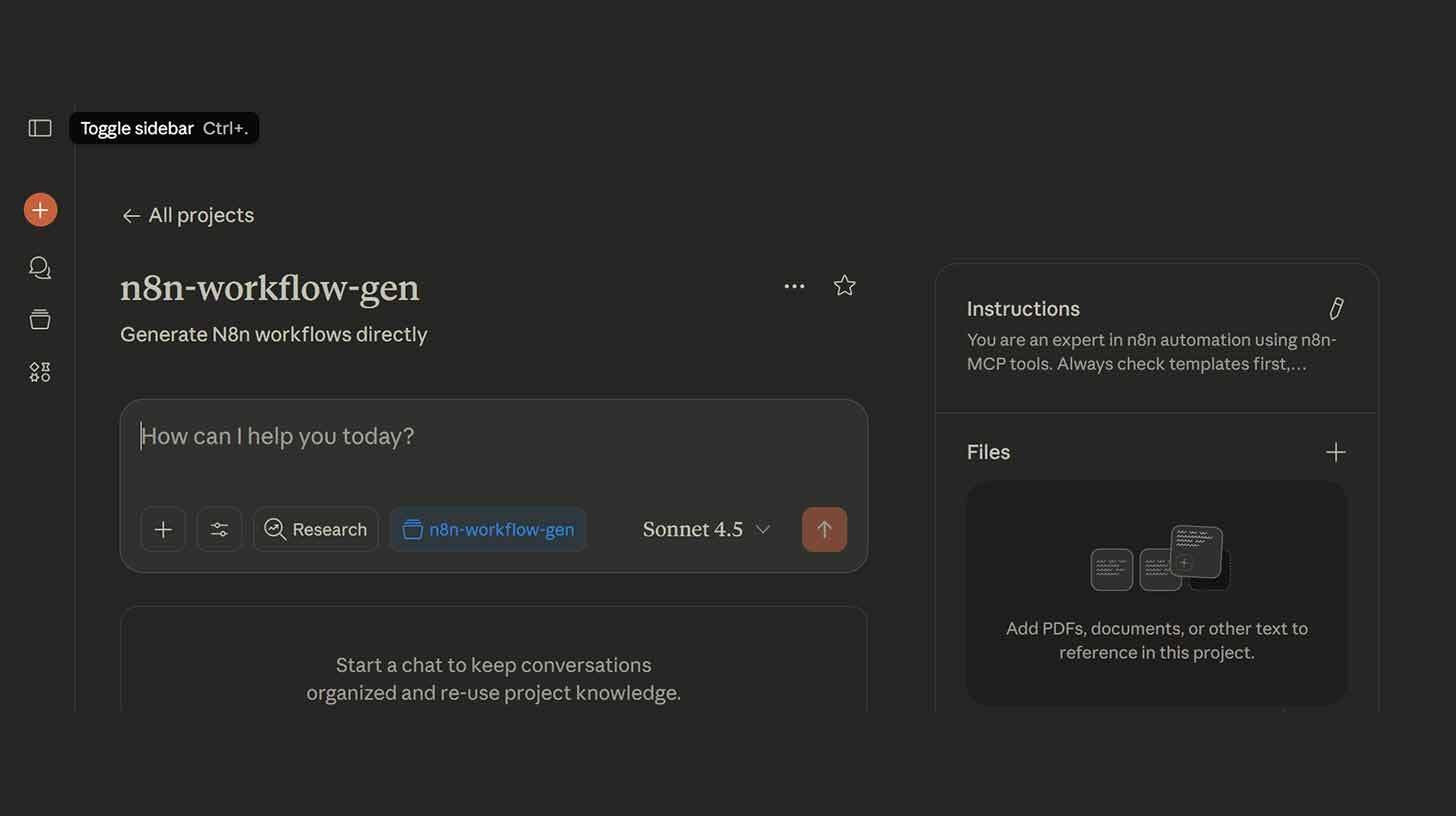
The Conversational Workflow: How Claude Sonnet 4.5 and MCP Are Eliminating the Friction of Automation
For decades, the promise of automation has been tempered by its complexity. To build a workflow, you needed to understand APIs, authentication protocols, data structures, and the intricate logic of node-based editors. Tools like n8n and Zapier democratized this to an extent, but they still required users to think like engineers: dragging boxes, drawing connections, and debugging JSON payloads. The friction was high enough that many viable automations never got built. Now, a new paradigm is emerging—one where the interface for automation is not a canvas, but a conversation. By leveraging Claude Sonnet 4.5 via the Model Context Protocol (MCP), users can create comprehensive n8n workflow automations by simply stating their needs. This isn't just a quality-of-life improvement; it is a fundamental shift in who can build operational infrastructure.
The Technology Bridge: What MCP Enables
The key to this workflow is the Model Context Protocol (MCP), an open standard that allows AI models to securely interact with external tools and data sources. Previously, an AI could write code for a workflow, but it couldn't directly instantiate it within your n8n instance. MCP changes that. It gives Claude Sonnet 4.5 direct access to your n8n environment—permission to read existing workflows, create new ones, and configure nodes via API. This transforms the AI from a consultant that gives advice into an agent that takes action. The result is a "prompt-to-workflow" pipeline that bypasses the manual labor of node connection entirely.
Step-by-Step: Building Your First AI-Generated Workflow
The setup process is designed to be secure and localized, ensuring that your API credentials remain under your control. Here is how to bridge Claude Desktop with your n8n instance:
1. Prepare the Environment
Begin by installing Claude Desktop and ensuring Node.js is active on your machine. Open your terminal and launch the MCP server specifically for n8n by typing:
npx n8n-mcp
This command initializes the bridge between your local Claude instance and the n8n protocol.
2. Configure Claude Desktop
Navigate to Settings > Developer > Edit Config within Claude Desktop. You will need to paste the configuration code provided by the MCP server. Crucially, this is where you establish trust: include your workflow dashboard's URL and generate a dedicated API key from n8n (Settings > n8n API > Create API Key). This key grants Claude permission to build on your behalf.
3. Enable Tools and Connect
Restart Claude Desktop to load the new configuration. Click the n8n MCP icon in the lower right corner and select "Enable all tools." This step grants Claude access to your workflow namespace. You should now see confirmation that the connection is active.
4. Prompt the Automation
Now, the engineering begins in natural language. Tell Claude about your automation need. For example:
"Build a n8n workflow that monitors my Gmail for emails with 'invoice' in the subject, extracts the invoice amount using AI, and logs it to a Google Sheet."
Claude Sonnet 4.5 will interpret the intent, select the appropriate nodes (Gmail trigger, AI extraction module, Google Sheets action), configure the connections, and handle the authentication mappings.
5. Deploy and Refine
Once built, Claude will provide you with a direct link to open the workflow in your n8n dashboard. Review the generated logic, test the trigger, and activate. If adjustments are needed, you can prompt Claude again: "Add a Slack notification step if the invoice amount exceeds $5,000." The workflow evolves conversationally.
The Art of the Prompt: Specificity Drives Success
While the technology removes the need for manual node connection, it does not remove the need for clear thinking. Claude performs best when given explicit instructions. A vague prompt like "automate my emails" leaves too much room for interpretation, potentially resulting in a workflow that doesn't match your operational reality.
Instead, adopt the precision of a product requirement document:
Vague: "Automate my emails."
Specific: "When I get a Slack message with 'urgent,' create a task in Todoist and send me a calendar reminder."
The second prompt defines the trigger (Slack message), the condition (contains 'urgent'), and the actions (Todoist task, Calendar reminder). Providing additional context—such as specific field mappings, error handling preferences, or timing constraints—will further improve the workflow's reliability. The AI is the builder, but you remain the architect.
Strategic Implications: The Democratization of Operations
The ability to generate workflows via prompt has profound implications for how organizations operate:
1. Lowering the Barrier to Entry
Previously, automation was the domain of "citizen developers" with technical aptitude. Now, domain experts—marketing managers, HR specialists, finance operators—can build their own tools. A finance analyst doesn't need to learn n8n's interface to automate invoice logging; they just need to understand the process. This decentralizes innovation, allowing solutions to emerge from the edges of the organization where problems are felt most acutely.
2. Shifting Roles from Builder to Reviewer
For technical teams, this shifts the focus from construction to governance. Instead of spending hours building routine workflows, IT and operations leaders can focus on reviewing AI-generated logic for security, efficiency, and compliance. The role becomes less about connecting nodes and more about defining standards, managing API permissions, and ensuring that automations align with broader architectural goals.
3. Accelerating Iteration Cycles
Traditional workflow development involves build-test-debug cycles that can take hours or days. With AI generation, iteration happens in minutes. If a workflow isn't quite right, you prompt again. This speed encourages experimentation: teams can test multiple automation strategies quickly, discarding what doesn't work and scaling what does. This agility is a competitive advantage in fast-moving markets.
4. The Rise of Agentic Operations
This tutorial is a microcosm of a larger trend: agentic AI. Claude isn't just generating text; it's configuring infrastructure. As models become more capable, this pattern will extend beyond n8n to cloud infrastructure, database management, and customer support systems. The future of operations may be defined by natural language interfaces that manage complex backend systems on behalf of humans.
Risks and Considerations: Governance in the Age of AI Automation
With great power comes the need for guardrails. Allowing an AI to build workflows that access sensitive data (like Gmail or Google Sheets) requires careful oversight:
API Security: Ensure that API keys granted to MCP have the minimum necessary permissions. Use scoped keys rather than admin-level access where possible.
Logic Verification: AI can hallucinate logic or miss edge cases. Always review generated workflows before activating them, especially those that involve financial transactions or customer communications.
Documentation: AI-generated workflows can become "black boxes" if not documented.
Encourage teams to add notes within n8n explaining the workflow's purpose, prompted by Claude during creation.
Cost Management: Automations can scale quickly. Monitor n8n execution counts to ensure that AI-generated loops or triggers don't incur unexpected costs.
The Bigger Picture: Automation as a Conversation
This integration of Claude Sonnet 4.5, MCP, and n8n represents a maturation of the low-code movement. The first wave of low-code was about visual interfaces (drag-and-drop). The second wave is about conversational interfaces (prompt-and-build). This reduces the cognitive load of automation, allowing humans to focus on what should be automated rather than how to connect the pipes.
For enterprises, this means operational resilience. Processes that were previously manual due to complexity can now be automated rapidly. For individuals, it means reclaiming time spent on repetitive tasks. The technology is no longer the bottleneck; the bottleneck is imagination.
Conclusion: The Interface Is Language
The tutorial you just read is more than a set of instructions; it is a glimpse into the future of software interaction. We are moving away from graphical user interfaces (GUIs) toward linguistic user interfaces (LUIs) for complex tasks. The command line required memorizing syntax; the GUI required learning menus; the LUI requires clarity of thought.
Claude Sonnet 4.5 and MCP are not just tools; they are translators—converting human intent into machine execution. As this technology matures, the distinction between "using software" and "programming software" will blur. You won't need to know how to build a workflow; you'll just need to know what work needs to flow.
The nodes are ready. The API is open. The AI is waiting. The only thing left is to ask.
Prompt. Build. Automate. Scale.
The conversational workflow has arrived. The question is no longer whether you can automate this process. It is why you haven't asked yet.
Your one-stop shop for automation insights and news on artificial intelligence is EngineAi.
Did you like this article? Check out more of our knowledgeable resources:
Watch this space for weekly updates on digital transformation, process automation, and machine learning. Let us assist you in bringing the future into your company right now